Part 3 - Importing a Unity Package
Now that you are familiar with the Unity User Interface, it is time to import the Flappy Bird game.
Steps
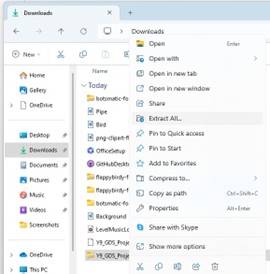
- Download the zipped folder
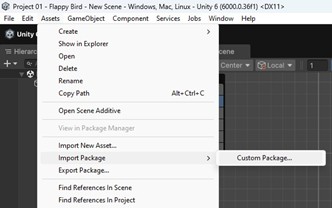
Y9_GDS_Project01_FlappyBirdand extract it. Saving toDownloadsis fine. - In the top toolbar of Unity, select
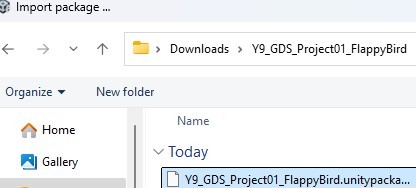
AssetsthenImport PackagethenCustom Package. - Open the extracted folder and select the
.unitypackagefile. Double-click it, then clickImportin the Unity Editor.
Resource
Common Pitfall
If the game loads as a blank scene, open the Scenes folder in the Project window and click Level 01.