 Part 2 - Fixing Some Bugs
Summary
The prototype runs, but the player does not move and collisions do not work. In this part, you will fix those issues.
Challenge One - Get the Player Moving
The values that control the car movement are set to zero.
Your Task
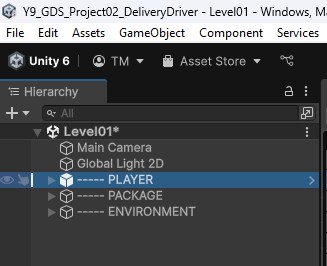
- Select the
----- PlayerGameObject in the Hierarchy. - In the Inspector, find the
Player Controllerscript. - Set
Turn Speedto200andMove Speedto10as starting values. - Test the game and tweak the values to your liking.

Challenge Two - Add Physics
Right now the player can drive through everything.
Your Task
- Select the
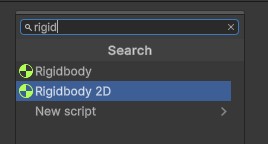
----- PlayerGameObject in the Hierarchy. - Add a
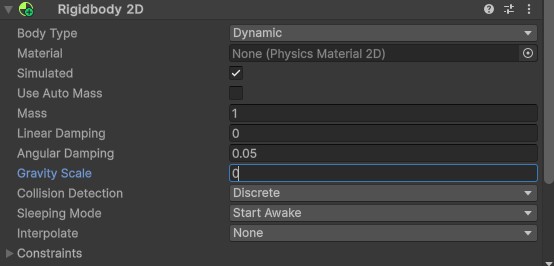
Rigidbody2Dcomponent. - Set the
Gravity Scaleto0. - Test collisions again.
Checklist
- The player moves using the input controls.
- Collisions now work.
- Gravity Scale is set to
0on the player.